


Grubhub: Food Delivery
4.5205.37K Reviews
App Specs
- Version
- 2026.34
- Updated On
- License
- Free
- Downloads
- 10,000,000+
- Developer
- Grubhub
- Categories
- Food & Drink
- Platform
- Android, iOS
Screenshots
 Analysis by AppCompare
Have you ever had one of those days where the thought of cooking is just too much to handle? Enter Grubhub: Food Delivery, your new best friend when it comes to satisfying those hunger pangs without lifting a finger in the kitchen.
When the meal decision starts before the app
I find delivery apps most useful when I begin with a practical question rather than scrolling without a plan: how much time do I have, how many people am I feeding, and does anyone need a particular kind of meal? That small pause matters with Grubhub because a broad menu can make choosing harder, not easier. If I already know I want noodles, pizza, or a quick lunch, browsing by cuisine gives me a sensible first cut. If I’m ordering for a group, I check that everyone can find something before settling on a restaurant.
This is an app for the moment when picking up dinner is inconvenient, not a guarantee that delivery will beat every other option. On a busy evening, I might use it to compare nearby menus before deciding whether a delivered meal is worth the wait. If a restaurant is only a short walk away and timing matters, collecting food myself may be the better call. I also wouldn’t open it expecting every neighborhood to offer the same range; nearby choices depend on where you are.
The basics are approachable for someone who has never ordered through a delivery app. Grubhub is a free Food & Drink app from Grubhub, and its 4.5 average across around 960,000 ratings gives a newcomer a sense of how widely people have used it, though ratings can’t predict how a particular restaurant will handle a particular order. It has over 10 million installs, is rated for Everyone, and was released in 2010. I’d treat those figures as context, not a promise that every listing, delivery, or support experience will be equally smooth.
Getting Started with Grubhub
First things first, downloading and setting up Grubhub is a breeze. Whether you're on Android or iOS, a quick search in your app store will have you ready to go in no time. Once installed, the app greets you with a clean and intuitive interface that's easy to navigate, even if you’re new to food delivery apps.
Creating an account is straightforward, and I appreciate how it lets you sign up using your Google or Facebook accounts. It saves time and the hassle of remembering yet another password. Once you're logged in, the app uses your location to showcase a variety of restaurants near you, from fast food joints to high-end dining options.
An Abundance of Choices
If you're anything like me, choosing what to eat can sometimes feel like the hardest decision of the day. Thankfully, Grubhub offers an extensive selection of cuisines to explore. Whether you’re craving pizza, sushi, or something more exotic, there’s bound to be something to tickle your taste buds.
Worth Reading Before You Choose

Baby Panda World Brings Quick Play to Modern Phones, but Its Game Library Feels Busy

ESPN’s Live Game View Makes Following Close Games Easier

QuizzLand Review: A Good Fit for Short Trivia Breaks, Not Every Player

Basketball Stars: Multiplayer Is Fast, but Can It Recover When Matches Go Wrong?

WEBTOON Turns Phone Updates Into a Better Reading Routine

Link to Windows Runs on Shared Habits, Not Social Feeds
The app makes it easy to filter your choices by cuisine, ratings, or even delivery time. I found the user reviews particularly helpful when trying out a new place. Plus, the menu images and descriptions are usually spot-on, which is a huge plus when you're ordering from somewhere for the first time.
A more deliberate way to browse
When I’m choosing a restaurant I haven’t tried, I use the review details as a check rather than treating a single score as a decision. I look for comments that describe the actual dish I’m considering and whether it arrived as expected. That’s more useful than assuming a restaurant’s overall rating says everything about its delivery. A menu photograph can help me understand the style of a dish, but I still read its description carefully, especially when I’m ordering something unfamiliar.
For a group order, I’d settle on the restaurant first and then have each person choose from that menu, instead of sending everyone off to browse independently. It keeps the decision focused and avoids the frustration of comparing unrelated choices. I also think it helps to decide on a fallback before paying: if a popular item is unavailable, would a similar dish work, or would you rather choose somewhere else? Being clear about that preference can make a substitution less stressful if the restaurant needs to contact you.
The useful comparison with other ways of ordering is not simply “more restaurants” or “faster delivery.” A restaurant’s own ordering option can be more direct when you already know exactly where you want to eat; calling or collecting can make sense if you need to clarify a complicated request. Grubhub is more appealing when I want to browse several nearby menus and weigh cuisine, reviews, and delivery time in one place. I’d choose based on the decision I’m trying to make, not assume one route is best for every meal.
Seamless Ordering and Delivery
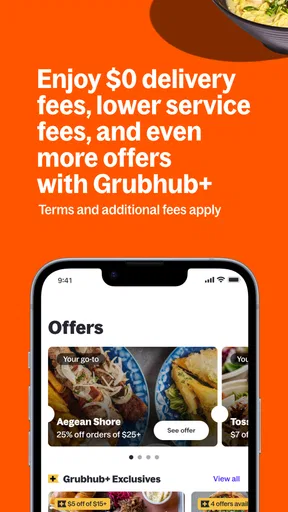
Once you've made your choice, placing an order is as simple as pie. Literally. The app guides you through customizing your order, adding any special instructions, and even tipping your driver. And don’t worry, they often have promotions and discounts to make your meal a bit lighter on the wallet.
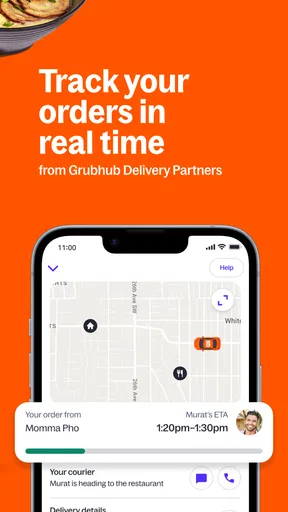
After placing the order, Grubhub keeps you updated with real-time tracking. You’ll know exactly when your food is being prepared, picked up, and delivered. It’s a bit like having your own personal food concierge.
From checkout to the doorstep
My practical advice is to treat checkout as a final review, not a formality. Before confirming, I’d check the restaurant, each item, customizations, delivery location, and any instructions that matter to the handoff. A note can communicate a preference, but it shouldn’t be used to request something the restaurant may not be able to do. If an order needs careful coordination, such as food for several people arriving at a shared entrance, I’d make the delivery details concise and easy to follow.
A realistic use case is a workday evening when I finish late and don’t want to stop for groceries. I can browse a few nearby options, compare the time estimates, and choose a meal that suits the group. Once the order is on its way, tracking helps me know when to be ready rather than repeatedly guessing. That does not remove every uncertainty: a busy restaurant or a complicated handoff can still affect the experience. I use tracking as useful information, not a promise that the delivery will arrive at an exact moment.
Promotions can be worth checking, but I wouldn’t make the whole decision around a discount. I compare the final order and the expected convenience with what I actually want to eat. A deal is only helpful if the restaurant and meal suit the occasion. Likewise, I’d avoid assuming that every restaurant offers the same customization or that a special instruction guarantees a particular result. For allergy concerns or other essential dietary needs, I’d verify the information directly with the restaurant rather than relying on a note alone.
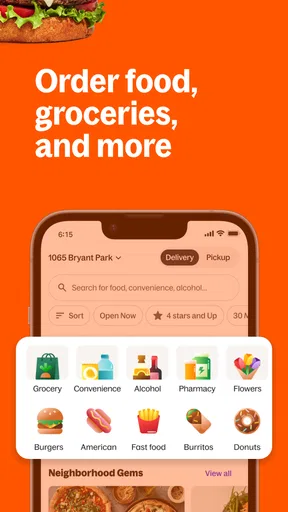
People often wonder whether they can use the app for more than a standard meal. Grubhub’s store summary includes alcohol and other nearby orders alongside food, so it can be relevant when that is what a user is looking for. Availability can vary by location and restaurant, so I’d check what is actually shown for my area rather than plan around a particular item. The same local variation applies to cuisines, delivery estimates, and the selection of restaurants.
The handoff is where expectations matter
Delivery involves more than the screen: the restaurant prepares the order, a driver collects it, and someone needs to receive it at the destination. I find that the app is most helpful when I keep my side of this chain simple. I make sure the destination is right, keep an eye on the progress, and try to be available around the expected arrival. If I’m ordering to a workplace or another shared building, I consider whether the driver can identify the right entrance and whether I can meet them without delay.
That handoff is also why I avoid placing a last-minute order when I have a hard deadline. The listed time can help compare options, but it isn’t a substitute for a buffer when dinner must arrive before a meeting or departure. If punctuality matters more than choice, picking up food myself or using a familiar restaurant directly may be a safer plan. For a relaxed evening, by contrast, browsing and waiting can be a reasonable trade-off for not cooking or driving.
The Overall Experience
One of the standout features for me is the customer service. On the rare occasion when something goes wrong, Grubhub's support team is quick to respond and resolve issues. Whether it's a missing item or a late delivery, they genuinely seem to care about customer satisfaction.
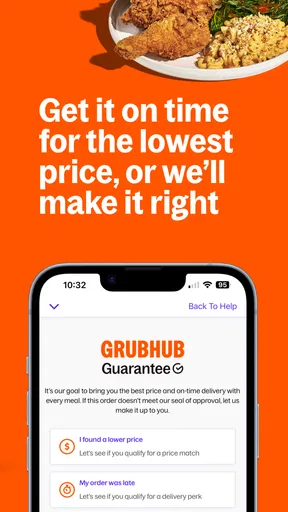
When a meal is incomplete or delayed, I’d first check the order details and the delivery status so I can explain the issue clearly when contacting support. That kind of record makes it easier to say what went wrong without relying on memory. Even so, I wouldn’t make any delivery service my only plan for a time-sensitive meal. A helpful support experience can address a problem after it occurs, but it cannot undo the inconvenience of waiting hungry or missing an event.
Grubhub is a stronger fit for people who value browsing across local options, want reviews to help narrow unfamiliar restaurants, or occasionally need a meal brought to them. It is less compelling if you always order from one restaurant, prefer to speak directly with staff about detailed dietary requirements, or live somewhere with a limited set of nearby choices. In those cases, a restaurant’s own ordering channel, a phone call, or pickup may be more dependable for the specific need. The app’s value is the convenient comparison and ordering flow, not a reason to ignore those alternatives.
The version listed is 2025.51, and the minimum operating system is 7.0. That makes the app’s compatibility worth checking against your device before installing, particularly if you keep an older phone. Once it is installed, I’d start with a simple order from a restaurant I recognize. That gives me a practical way to see how the local selection, estimated timing, menu details, and delivery handoff work in my area before relying on it for a group meal or an unfamiliar place.
Grubhub: Food Delivery has quickly become my go-to app for when I need a meal without the fuss. It’s user-friendly, offers a fantastic variety of choices, and the delivery process is smooth and reliable. Whether you’re a busy professional, a student, or just someone who loves good food, I’d say give it a try. Trust me, your stomach will thank you!
Pros
- User-friendly interface for easy navigation.
- Wide range of restaurant options available.
- Real-time order tracking is convenient.
- Customizable delivery instructions feature.
- Offers frequent discounts and promotions.
Cons
- Service fees can be relatively high.
- Occasional delays in delivery times.
- Limited delivery areas in some regions.
- App notifications can be excessive.
- Customer support response may be slow.
FAQs for Grubhub: Food Delivery
What services does Grubhub offer?
Grubhub is a food delivery service that connects users with local restaurants. It allows you to browse menus, place orders, and have meals delivered straight to your door. The app also offers options for pickup if you prefer to collect your order personally. It covers a wide range of cuisines, ensuring there's something for everyone.
How do I place an order on Grubhub?
To place an order on Grubhub, first download the app and create an account. Enter your location to see available restaurants nearby. Browse through the menus, add items to your cart, and proceed to checkout. You can choose between delivery or pickup and pay using various methods, including credit cards, PayPal, or Grubhub gift cards.
What payment methods are accepted on Grubhub?
Grubhub accepts multiple payment methods for your convenience, including major credit and debit cards, PayPal, and Grubhub gift cards. Some restaurants may also offer cash on delivery as an option. Be sure to check the payment options available at the checkout stage to find the one that best suits you.
Are there any fees associated with using Grubhub?
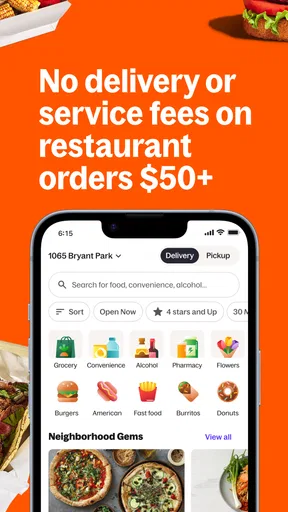
Yes, using Grubhub may involve some fees. These can include delivery fees, service fees, and possibly a small order fee if your total doesn't meet a minimum threshold. Prices can vary depending on the restaurant and your location. Always review the total cost at checkout to understand what you're being charged.
Is Grubhub available in my area?
Grubhub is available in many cities across the United States, but its availability can vary depending on your specific location. To check if Grubhub serves your area, download the app, enter your address, and see which restaurants are listed. This will give you a clear idea of the service coverage in your locality.


